
swftbox Hub for Shopify
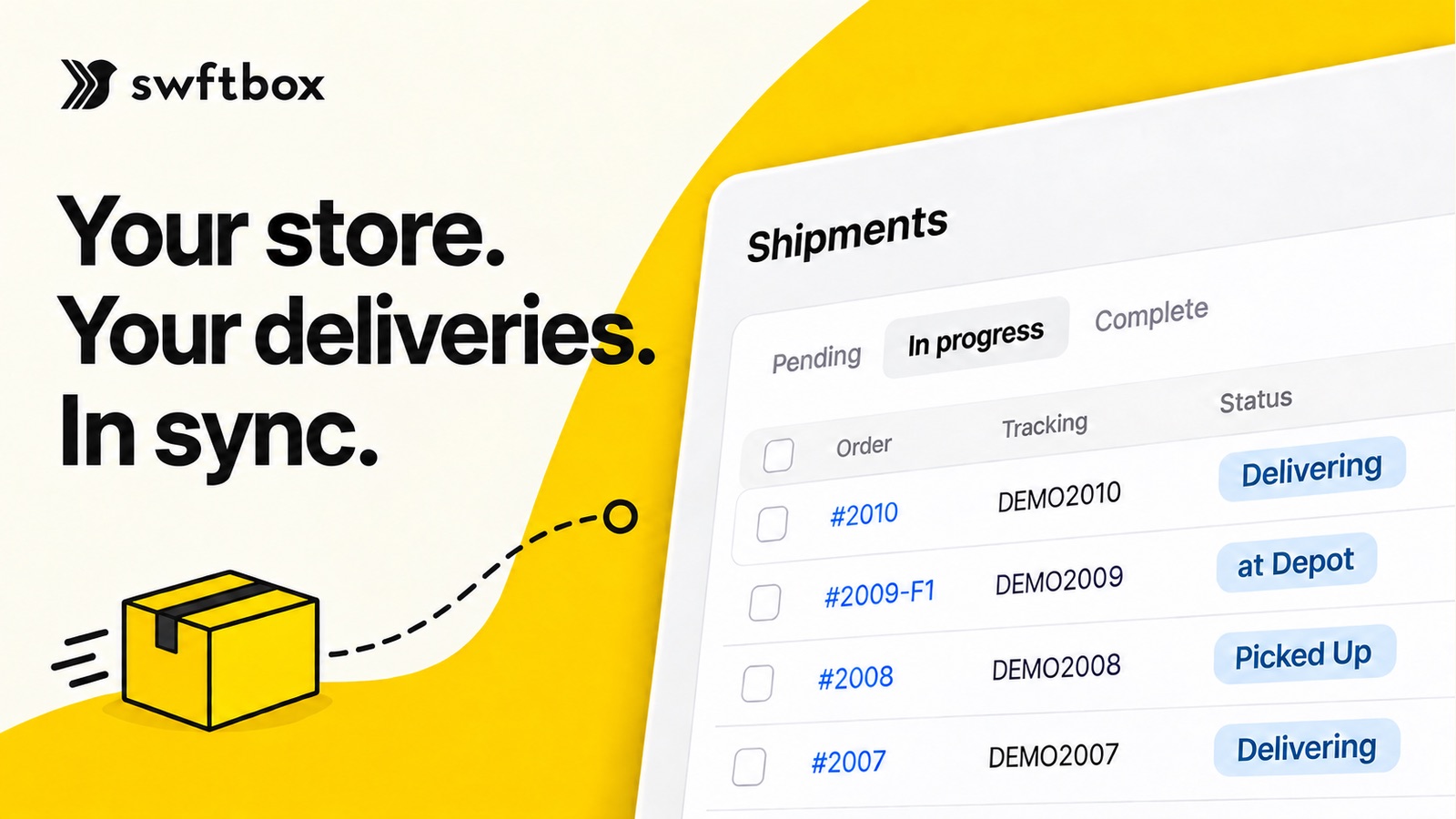
Your store. Your deliveries. In sync.
swftbox Hub connects your Shopify store to swftbox. Orders reach us the moment they are placed, tracking lands back on the order, and cash on delivery and returns follow the rules you set, all without leaving Shopify.
- Free on the Shopify App Store
- Works in Shopify Admin
- Set up in minutes
Why connect your Shopify store to swftbox
Every order you copy by hand is time lost and a chance to get an address, a phone number or a cash amount wrong. Connecting your store removes that step completely.
No more manual input
Orders flow from Shopify to swftbox on their own. No copying names, addresses and phone numbers into a second system, and no bulk uploads to prepare.
Fewer delivery mistakes
The customer details our drivers use come straight from the order your customer placed, so typos from retyping never reach the road.
Tracking on every order
swftbox tracking is added to the Shopify order and the customer is notified when the driver collects, so fewer customers need to ask where their order is.
The right cash, every time
The driver collects the order’s outstanding balance in Shopify. A paid order never collects, so nobody is charged twice and your COD remittance matches your orders.
Returns without the back-and-forth
Approve a return in Shopify and swftbox schedules the pickup and adds tracking. No calls, no emails, no second booking.
Hours back every week
Brands on swftbox save 15+ hours of logistics admin a week. Connecting your store is the fastest way to get there: the work that was copy-paste simply stops.
Sending rules
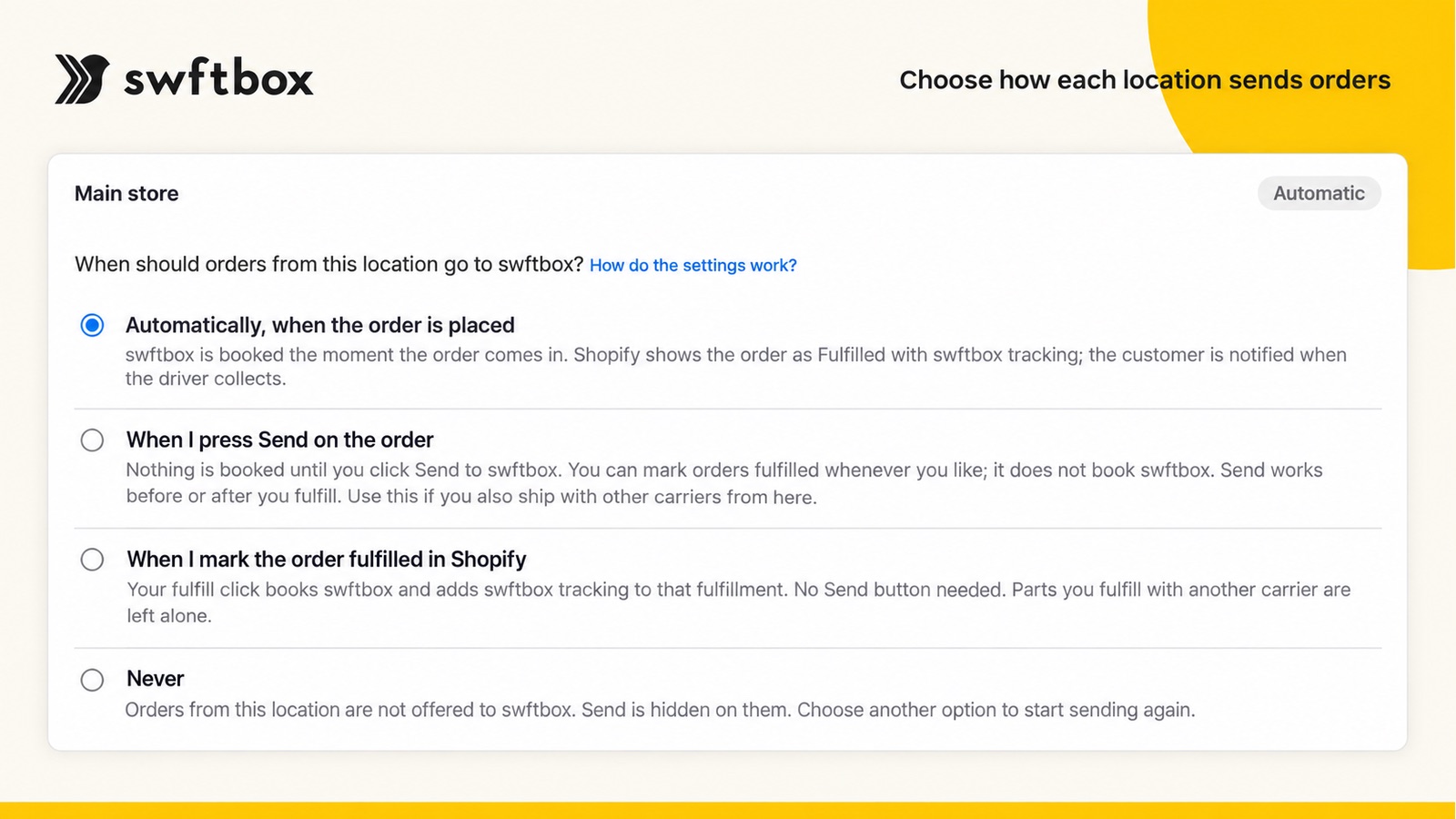
Choose how each location sends orders
Every Shopify location gets its own rule, so a store that also ships with another carrier stays in control.
- Automatically, when the order is placedswftbox is booked the moment the order comes in, Shopify shows it as fulfilled with swftbox tracking, and the customer is notified when the driver collects.
- When you press Send on the orderNothing is booked until you click Send, so you choose which orders swftbox delivers.
- When you mark the order fulfilled in ShopifyYour fulfill click books swftbox and adds the tracking. Parts you fulfill with another carrier are left alone.
- NeverOrders from that location are not offered to swftbox at all.
Cash on delivery
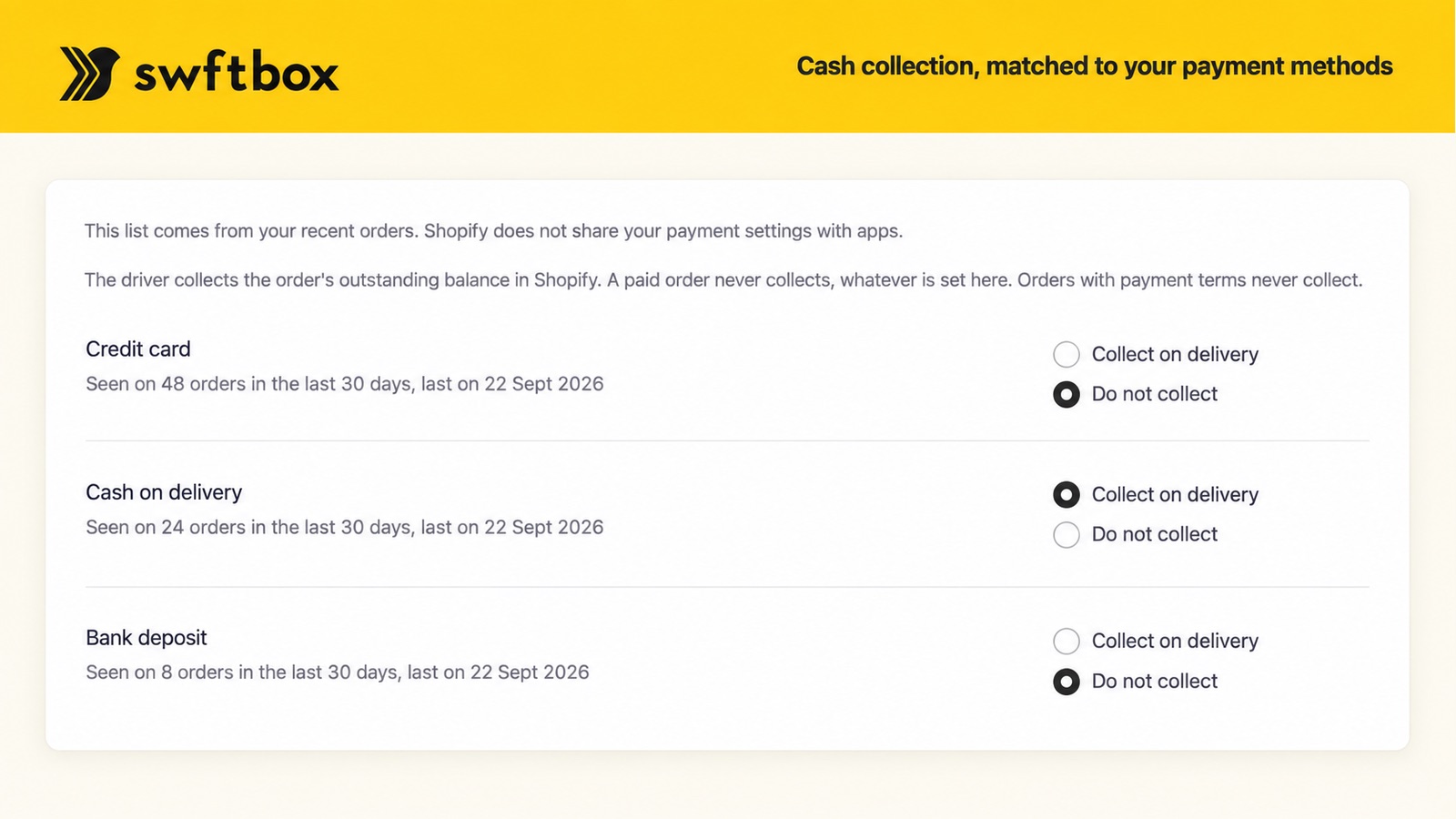
Cash collection, matched to your payment methods
swftbox Hub lists the payment methods seen on your recent orders. You decide which ones the driver collects on.
 Collect on cash on delivery, skip card and bank transfers, or any mix you need
- The driver collects the order’s outstanding balance in Shopify
- Paid orders and orders with payment terms never collect
Returns
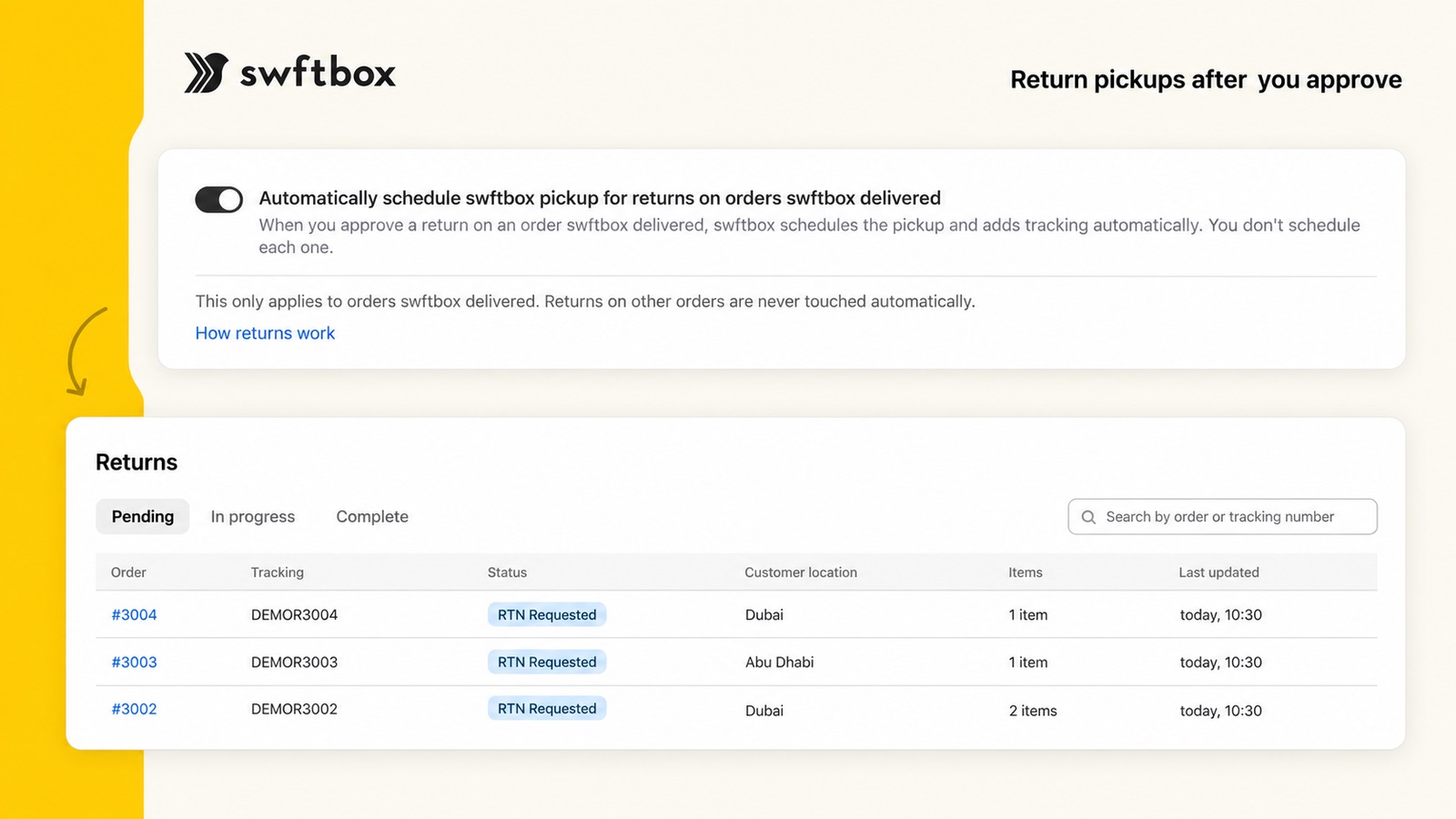
Return pickups after you approve
Turn on automatic pickups once. From then on, approving a return on an order swftbox delivered is all it takes.
- swftbox schedules the pickup and adds return tracking automatically
- Follow every return from requested to complete
- Only orders swftbox delivered are touched; other returns are never changed
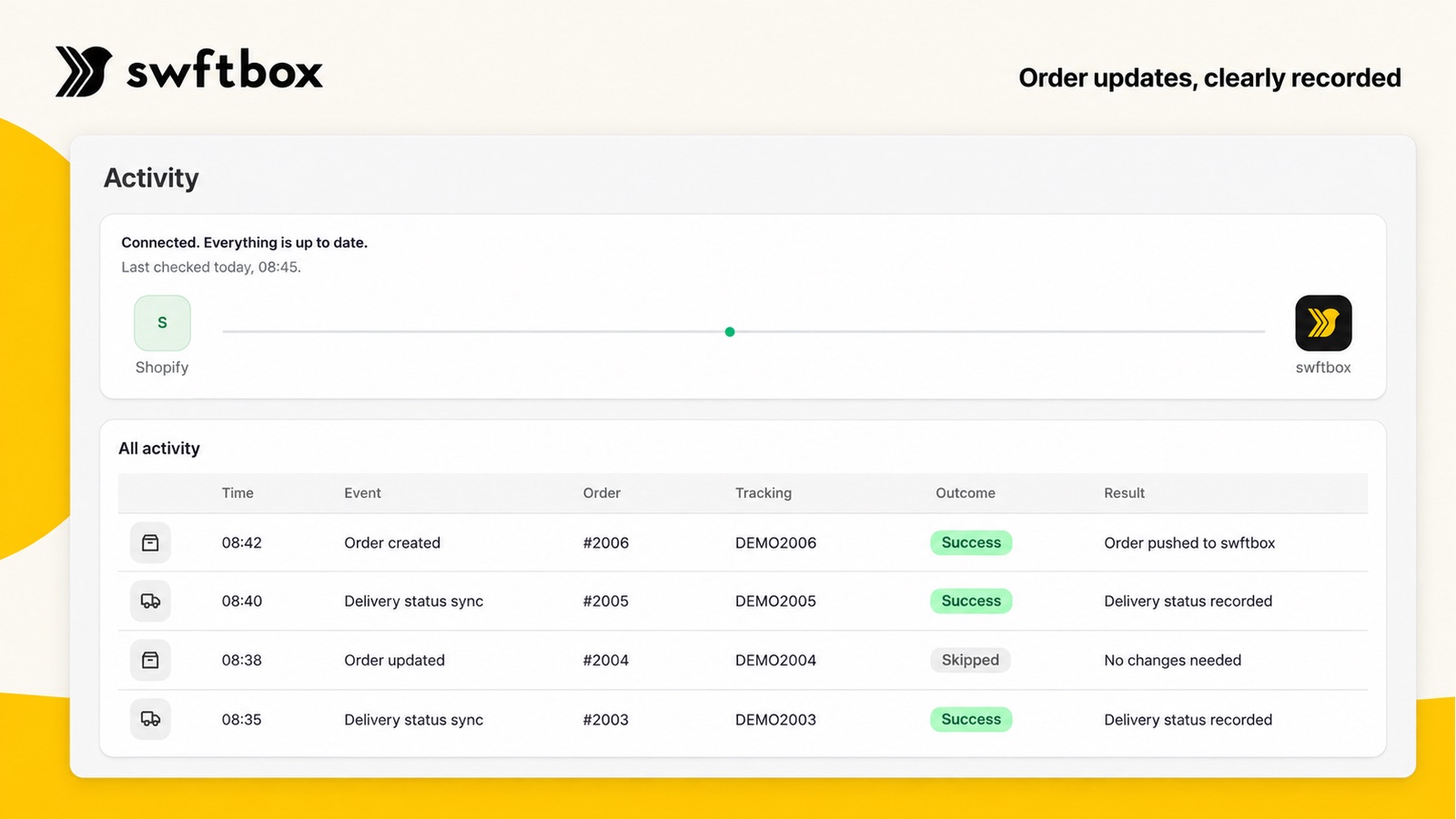
Activity
Order updates, clearly recorded
See at a glance that Shopify and swftbox are connected and up to date, with every order sent and every delivery status synced in one log.
- Connection status and the last check, in plain words
- Every order pushed, updated or skipped, with the reason
- Delivery statuses written back to your Shopify orders
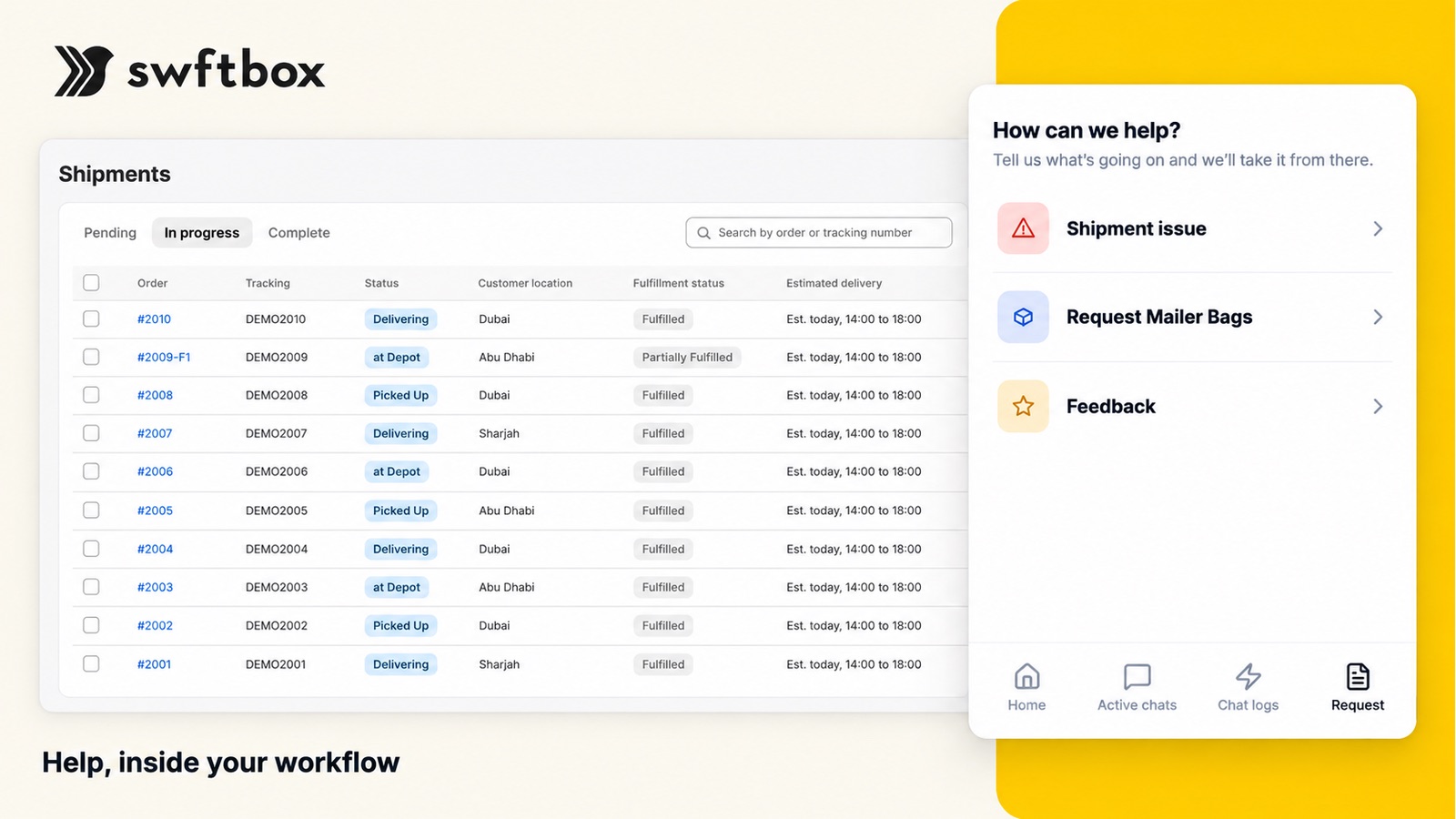
Shipments and support
Labels, tracking and help, inside your workflow
- Print shipping labels, one at a time or in bulk
- Pending, in progress and complete shipments with live status and estimated delivery
- Report a shipment issue, request mailer bags or send feedback without leaving the app
Get connected in 4 steps
Install swftbox Hub
Add the free app to your store from the Shopify App Store.
Connect your swftbox account
Sign in with your swftbox account. New to swftbox? Speak to our team and we’ll set you up.
Set your rules
Choose how each location sends orders and which payment methods the driver collects on.
Start shipping
New orders reach swftbox and tracking comes back to Shopify, with nothing to retype.
Swipe to see every step →

swftbox Hub is free on the Shopify App Store
Requires a swftbox account in a supported service area.
- Labels and packaging
- Bulk printing
- Managing shipments
- Order sync
- Real-time tracking
- Branded tracking page
- Order updates
Talk to us
Need help getting started?
Tell us what you ship and how many orders a month. A specialist will call you back.
speak to swftboxHave questions? Get answers.
swftbox Hub for Shopify5+
How much does swftbox Hub cost?
The app is free to install from the Shopify App Store.
Do I need a swftbox account?
Yes. swftbox Hub connects an existing swftbox account in a supported service area. If you don’t have one yet, speak to our team and we’ll set you up.
I also ship with another carrier. Will the app book every order with swftbox?
Only if you choose that. Each location can send orders automatically, only when you press Send, only when you mark the order fulfilled, or never. Items you fulfill with another carrier are left alone.
How does cash on delivery work?
You choose which payment methods the driver collects on. The driver collects the order’s outstanding balance in Shopify, and paid orders or orders with payment terms never collect.
Can returns be scheduled automatically?
Yes. Turn on automatic pickups and every return you approve on an order swftbox delivered gets a pickup and tracking. Returns on other orders are never touched.
I need help with my package3+
Where’s my package?
You’ll be able to track your package through the WhatsApp message you’ve received from swftbox. If you haven’t received it yet, that means your package is still with the merchant. You’ll be notified as soon as it’s ready to go!
How can I cancel my shipment?
To cancel your shipment, please send an email to the store you’ve purchased from and they will be able to cancel your shipment.
How can I update my address?
You can update your address on the tracking link we’ve sent you on WhatsApp.
Overview4+
What is swftbox?
swftbox helps you create a seamless post-purchase experience for your customers with safe & secure fulfillment and fast last-mile delivery options.
How does it work?
If you’re a fast-growing e-commerce brand doing over 300 deliveries a month, swftbox is the right solution for you. Speak to one of our sales representatives to get started in just a few minutes.
How do I know if swftbox is right for me?
If you’re a business owner that wants to create a better post-purchase experience for your customers with easy integration to your shopfront, warehousing & fulfillment, fast delivery and a headache-free experience, then swftbox is right for you.
How do I sign up to swftbox?
Click here to calculate what you’re pricing looks like and book a call with one of our sales representatives.
Delivery15+
What delivery options do you offer?
With swftbox you can reach the whole world. We offer same day and 2-4 hour delivery (within Dubai) in the UAE. We also offer express international delivery anywhere in the world.
What types of vehicles does the swftbox fleet use?
Our fleet includes motorbikes, cars and vans. Motorbikes reach destinations super-fast, cars maintain temperature a bit better and vans are used for bulkier items. For our international shipments, we only ship by air.
What are the delivery fees?
Our pricing is transparent and we have subscription plans suitable for all types of businesses. Check out our pricing calculator here.
Does swftbox provide payment on delivery (COD)?
The swftbox fleet accepts various payment methods including cash or card on delivery as well as payment links. And yes, all contactless payment options are accepted including Apple Pay, Gpay, Samsung Pay amongst others.
What are the charges for payment on delivery (COD)?
Payment on delivery is charged at 2.9% of the total transaction amount depending on the plan you choose. For example, if swftbox collects AED 100 on your behalf, there is a charge of AED 2.9 that is subtracted from the amount we collect and you will be transferred the balance.
What regions/areas does swftbox cover?
UAE Coverage: We currently cover all Emirates in the UAE including Dubai, Abu Dhabi (Al Ain), Sharjah, Umm Al Quwain, Fujairah, Ras Al Khaimah and Ajman. There are a few areas we don't cover yet, check these here.
International Coverage: We provide delivery services across the world through our partners. Check out pricing here.
How can my customers track their shipment?
All customers receive a WhatsApp notification to their registered phone number with a tracking page, they’ll also be able to update their address, make a payment and set their delivery preferences.
Do you manage returns?
We’ve made returns super simple for you and it’s as easy as two clicks. Once you request a return, your customer receives a notification informing them of return details.
How are returns charged?
Returns are charged just like deliveries at AED 15.
How can I contact customer support?
You can reach out to our customer support team through the chat box on your swftbox dashboard. We’ve integrated with WhatsApp as well, so that you can message us on the go.
Are there any areas swftbox does not cover in the UAE?
You can access the list of our non-serviceable areas here.
Is there a weight limit for my packages?
Our pricing is based on packages with a weight of 7kg (15 pounds) and 20x20x20cm in dimension. Extra charges apply for packages with weights above the mentioned limit.
Can swftbox help me ship internationally?
Yes, you can ship anywhere in the world with swftbox. Placing international orders is as easy as local orders.
Does my customer have to be present in time for the drop off? What happens if the customer is not home?
If it’s a paid order and the goods are not perishable, then the customer can request from the courier to leave it outside their door. If it’s a payment on delivery order, your customer can make a payment through the swftbox tracking page and request to leave it at the door, otherwise we will make every effort to schedule a convenient time to deliver the goods.
Are there any prohibited items that swftbox can’t deliver?
All items prohibited under UAE law, hazardous material and products that your business is not licensed to sell.
What happens if my customer is not available when the courier arrives?
Don’t worry, our couriers attempt a shipment up to 3 times if necessary. A package is returned to you if we’ve made sure that your customer does not want the package or is unavailable after a few attempts.
Fulfillment9+
How does fulfillment with swftbox work?
Super easy! You’ll integrate your shopfront (Shopify, WooCommerce, Magento) with swftbox, we will store your inventory for you and once you get an order, we’ll pick, pack and ship it to your customer.
Why should I choose fulfillment with swftbox?
Imagine getting new order requests and not having to worry about a thing. You’ll just need to focus on getting more orders in!
Do you provide packaging?
Yes, we provide standard polybag packaging for fulfillment. If you need us to use custom packaging, we are happy to accomodate.
How quickly can you fulfill orders?
Any orders placed before 12pm are delivered on the same day across the UAE.
International orders work the same way, but delivery time varies between 3-5 days.
What temperature-controlled storage options does your warehouse provide?
Our warehouse is fully temperature controlled at 22-25 ℃. We also have cold rooms (2-6℃) and freezer rooms (-20℃) that are ideal for very sensitive cosmetics and food items.
Where is the swftbox warehouse located and what are the working hours?
The main swftbox warehouse is located in Al Quoz, Dubai, United Arab Emirates. Open daily from 9am to 6pm.
How can I track my inventory?
You’ll be able to keep track of your inventory at all times through the live database that we share with you. It’s real-time, so you’ll always know what you have in stock. Plus our fulfillment team continuously takes stock count, checks expiration dates and notifies you once quantities are critical.
Who can I contact in case of fulfillment related questions?
You can reach out to our customer support team through the chat box on your swftbox dashboard. We’ve integrated with WhatsApp as well, so that you can message us on the go.
Are there any prohibited items that swftbox can’t store and deliver?
All items prohibited under UAE law and that your business is not licensed to sell.
Integration3+
How does integration help me?
When you integrate with swftbox, any new order you receive is transferred directly to the swftbox dashboard. That means you won’t have to plug in orders manually and avoid data input mistakes.
What integrations are available?
swftbox tech is API-based so it can connect to any API-based software. We have ready-made integrations with Shopify, WooCommerce and Magento that take only a few minutes to setup. You’ll be able to do it yourself without the need to hire any extra developers and it’s completely free.
Is it possible to create custom integrations?
Custom integrations are possible, depending on the complexity of the integration, additional charges may apply.